Home > Edison > Building
Understanding the partitioning scheme
If you have an Edison-Arduino with the original Intel image (factory image) the partition layout is going to be modified by installing the image generated by this project (Edison-fw). Here you can read what the changes are going to be.
Partition layout
The following table shows the partition layout before and after the switch.
| Partition | Factory image | Before [MiB] | Edison-fw image | After [MiB] |
|---|---|---|---|---|
| GPT | 1 | 1 | ||
| mmcblk0p1 | u-boot0 | 2 | u-boot0 | 2 |
| mmcblk0p2 | u-boot-env0 | 1 | u-boot-env0 | 1 |
| mmcblk0p3 | u-boot1 | 2 | u-boot1 | 2 |
| mmcblk0p4 | u-boot-env1 | 1 | u-boot-env1 | 1 |
| mmcblk0p5 | factory | 1 | factory | 1 |
| mmcblk0p6 | panic | 24 | panic | 24 |
| mmcblk0p7 | boot | 32 | boot | 64 |
| mmcblk0p8 | rootfs | 1536 | home | 3632 |
| mmcblk0p9 | update | 768 | ||
| mmcblk0p10 | home | 1360 |
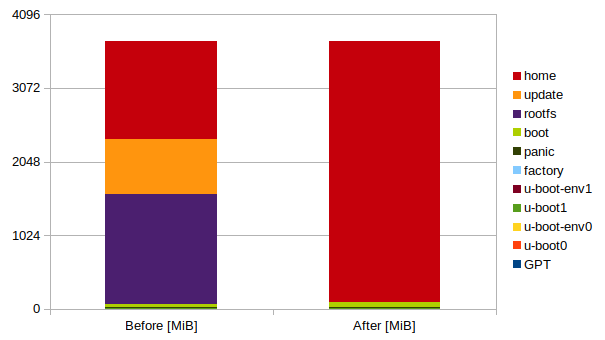
Backing up
As you can see from the above every partition following factory is destroyed. If you don’t want to loose the contents of the update and home partition backup whatever is there you want to keep.