Installing the image to eMMC
Flashing the image
The procedure works when you have functioning U-Boot. If you don’t have that, goto Disaster recovery.
On RESET their will be a short time that U-Boot activates the DFU loader. Either Flashall or Flash Tool Lite will detect that and start uploading.
Before you start
You need to connect the Edison Arduino using 2 USB cables and the switch in the position as in the picture below.
-
Connect the first USB cable to the USB port marked as 3 in the photograph below.
This cable will be your serial connection to the Edison. To connect to the edison you might use a terminal emulator like gtkterm. The serial port is probably /dev/ttyUSB0 and the baud rate is 115200 with parity none. If you prefer the command line you can usescreen /dev/ttyUSB0 115200. - The second cable to attach goes to the USB port marked as 2 in the photograph below.
This port is a special port that can act as USB host or USB slave of which only one is active at a time. As you will be connecting to a host port of your PC, it needs to be configured as slave on the Edison. Push the switch down in the direction of the micro USB ports so that the port is enabled.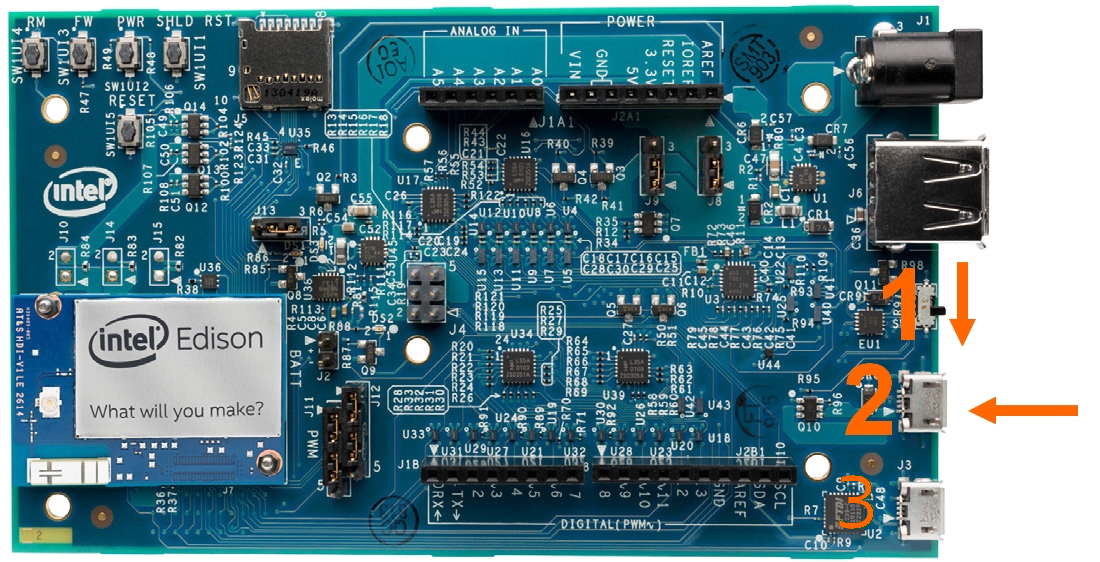
-
On Ubuntu you might need to install the package
dfu-util. - Press the reset button (under the text RESET in the picture above) after starting
FlashallorFlash Tool Lite.
Flashall
Change to the directory holding the flash-able image out/linux64/build/toFlash/ and run flashall.sh. Press the Edison Arduino RESET button when instructed to plug the cable:
./flashall.sh
Note 1: If you have not followed the instructions in Avoiding Permissions Issues, you will need to invoke flashall.sh as root (i.e. sudo ./flashall.sh)
Note 2: Many people have been reporting that the windows version flashall.bat is not working on Windows 10. In any case, it has not been updated and will install the wrong image.
Note 3: During uploading first U-Boot and it’s environment are flashed, then the Edison is rebooted. If you are in a virtual machine, make sure that it will automatically “plug” the USB devices again when they appear (Virtualbox can do that). Or be very quick to do that manually. Or finish the whole procedure manually by :
- interrupting the boot on Edison (press
<ESC>) - in
U-bootrun do_flash - on the host run the missing
dfu-util -v -d 8087:0a99 --alt boot -D "edison-image-edison.hddimg"and dfu-util -v -d 8087:0a99 --alt home -D "edison-image-edison.btrfs" -Rcommands.
Flash Tool Lite
- Download
Flash Tool Litefor your platform (Google to find them f.i. on github). note on ubuntu: sudo apt-get install libusb-0.1-4 is required to run -
Start as root using
sudo platformflashtoollite, then select the json file in theout/linux64/build/toFlash/directory.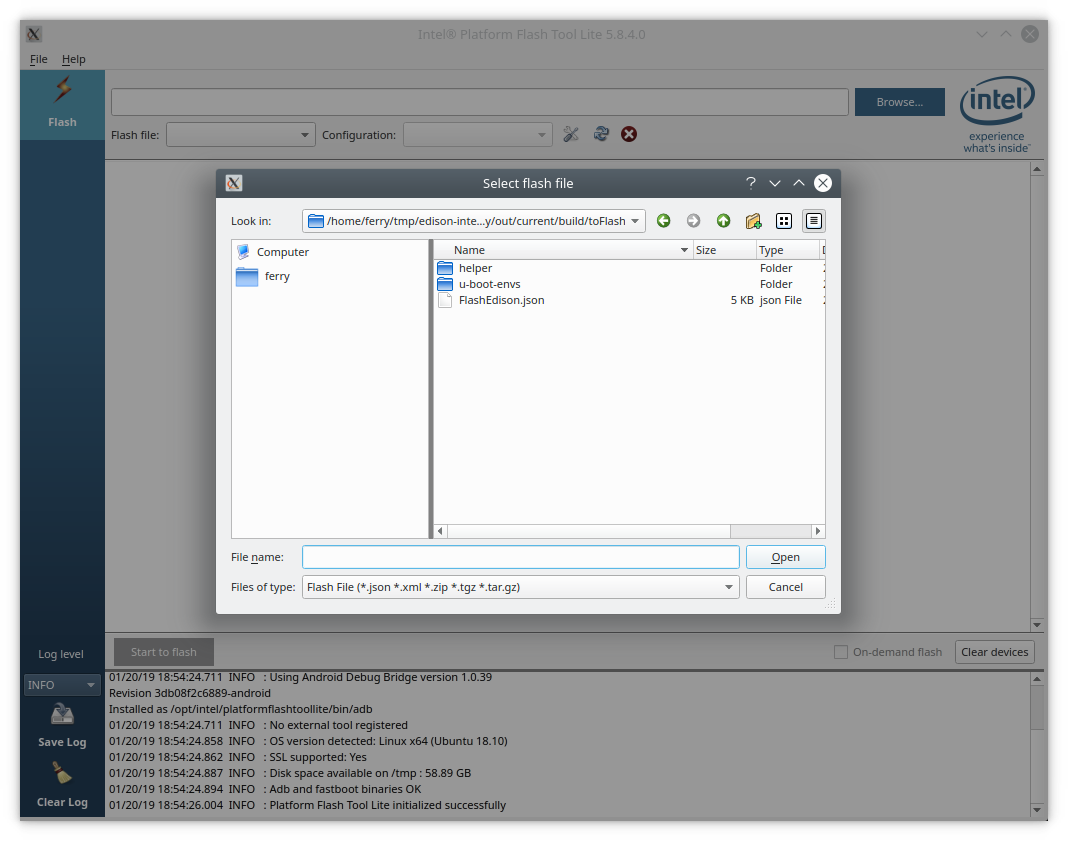
-
Click the Start to flash button.
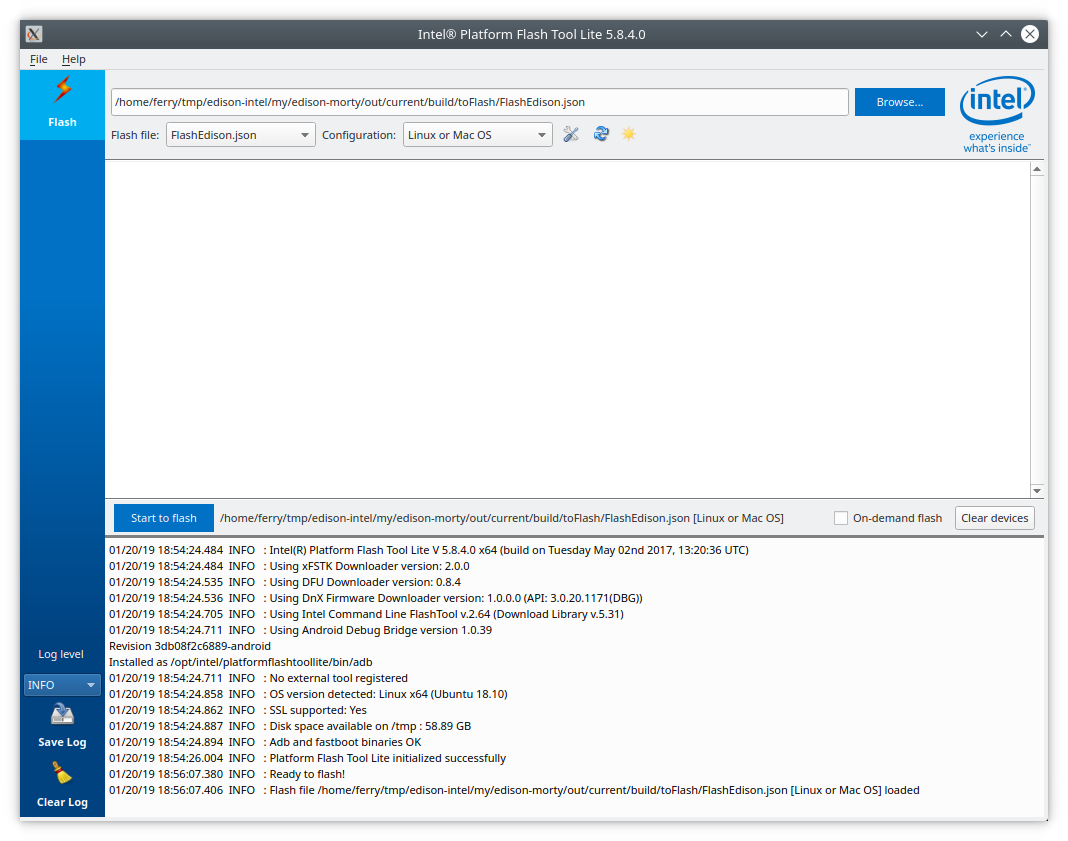
-
Press the Edison Arduino RESET button.
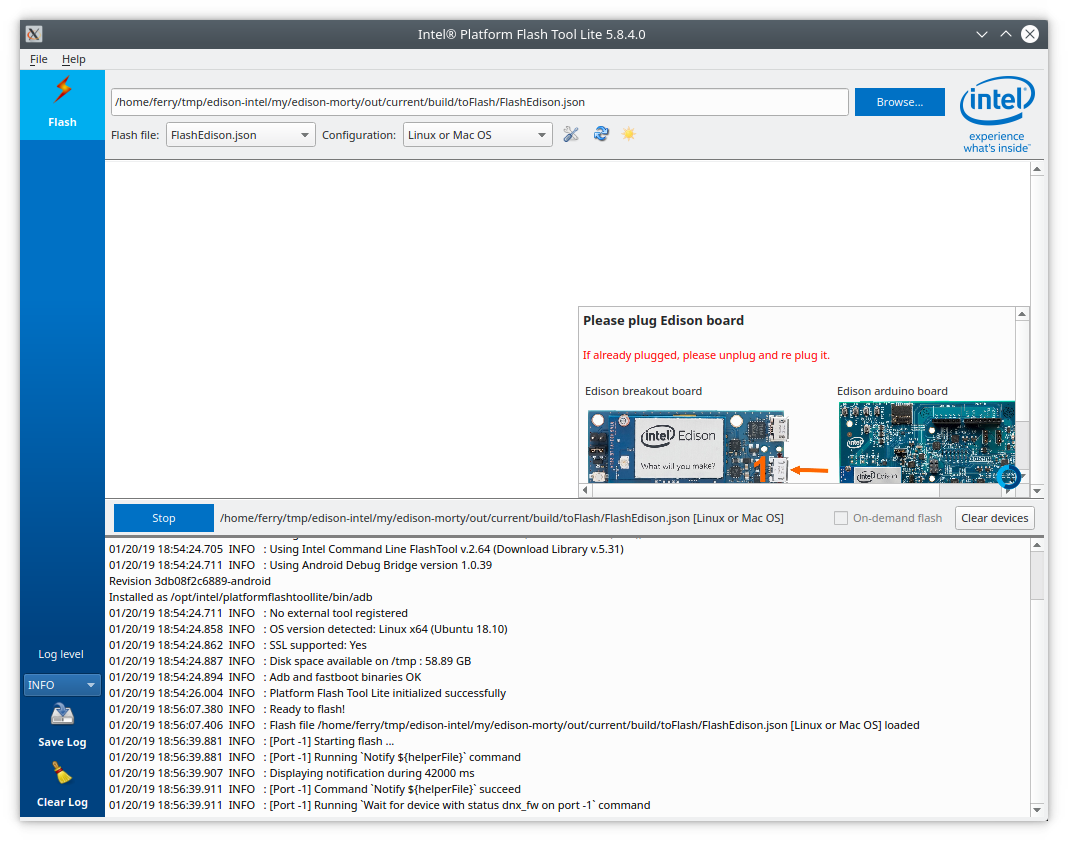
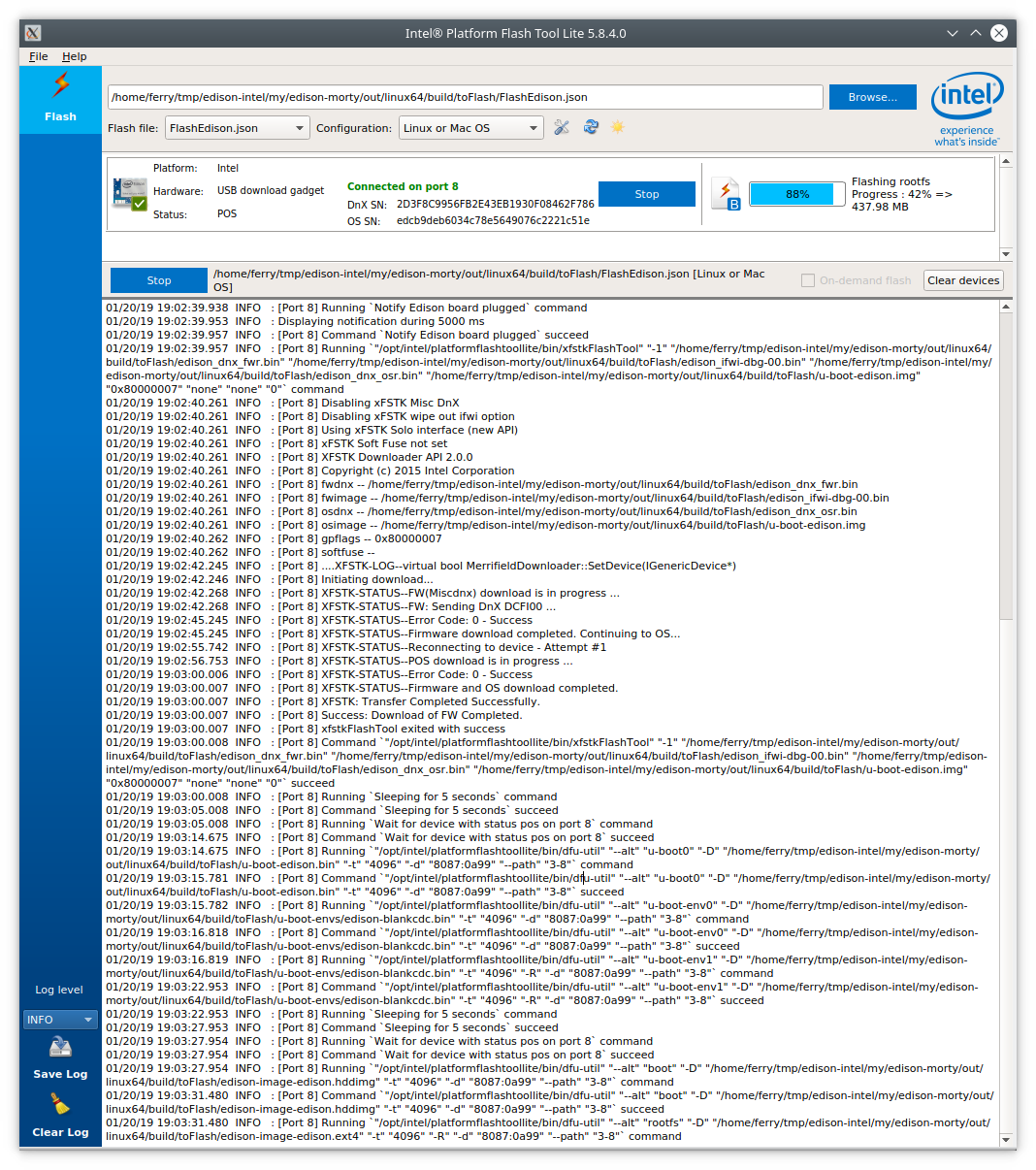
- Flashing goes in separate steps for U-Boot and Root FS.